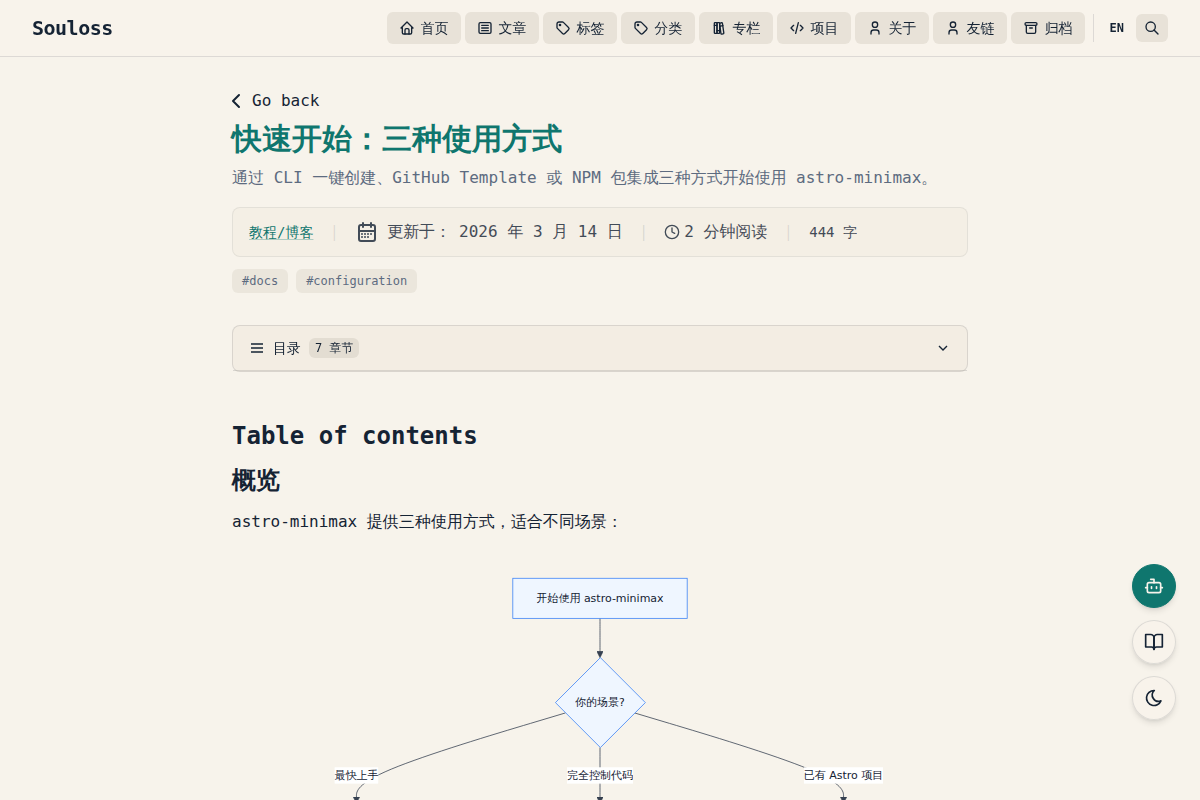
astro-minimax 是一个高度可定制的 Astro 博客主题。使用 astro-minimax,你可以根据个人喜好定制一切。本文将解释如何通过配置文件轻松进行一些自定义设置。
路径提示: 如果你使用 GitHub Template 方式,配置文件位于
apps/blog/src/config.ts。如果使用 NPM 包集成方式,则位于你项目的src/config.ts。
配置 SITE
主要配置位于 src/config.ts 文件的 SITE 对象中。以下是完整的配置示例:
export const SITE = {
  website: "https://your-domain.com/",
  author: "Your Name",
  profile: "https://your-portfolio.com/",
  desc: "A minimal, responsive and SEO-friendly Astro blog theme.",
  title: "My Blog",
  ogImage: "astro-minimax-og.jpg",
  postPerIndex: 4,
  postPerPage: 4,
  scheduledPostMargin: 15 * 60 * 1000,
  showBackButton: true,
  startDate: "2020-01-01",
  editPost: {
    enabled: true,
    text: "Edit page",
    url: "https://github.com/your-user/your-repo/edit/main/",
  },
  dynamicOgImage: true,
  dir: "ltr",
  lang: "zh",
  timezone: "Asia/Shanghai",

  features: {
    tags: true,
    categories: true,
    series: true,
    archives: true,
    friends: true,
    projects: true,
    search: true,
  },

  darkMode: true,
};基础配置
| 选项 | 说明 |
|---|---|
website | 部署后的网站 URL。对 SEO、规范链接和社交卡片至关重要 |
author | 你的名字 |
profile | 个人/作品集网站 URL,用于 SEO。没有可设为 "" |
desc | 网站描述,用于 SEO 和社交分享 |
title | 站点名称 |
ogImage | 默认 OG 图片(放在 public/ 目录下或使用外部 URL) |
postPerIndex | 首页”最近文章”显示数量 |
postPerPage | 分页每页显示的文章数 |
scheduledPostMargin | 定时发布的宽限时间(毫秒),默认 15 分钟 |
showBackButton | 文章详情页是否显示返回按钮 |
startDate | 博客起始日期,用于归档页面的时间线 |
dynamicOgImage | 是否自动生成动态 OG 图片(未指定 ogImage 的文章) |
dir | 文本方向:ltr(从左到右)/ rtl(从右到左)/ auto |
lang | 默认语言代码(zh、en 等) |
timezone | 时区(IANA 格式),确保不同环境下时间戳一致 |
编辑链接配置
editPost: {
  enabled: true,
  text: "Edit page",
  url: "https://github.com/your-user/your-repo/edit/main/",
},| 选项 | 说明 |
|---|---|
enabled | 是否在文章标题下显示编辑链接 |
text | 编辑链接显示文本 |
url | 编辑链接的基础 URL(拼接文件路径) |
配置功能开关
features 对象控制各功能模块的启用/禁用:
features: {
  tags: true,        // 标签系统
  categories: true,  // 分类系统
  series: true,      // 系列文章
  archives: true,    // 归档页面
  friends: true,     // 友链页面
  projects: true,    // 项目展示页面
  search: true,      // 全文搜索(Pagefind)
},深色模式
darkMode: true, // 明暗主题切换关闭深色模式将隐藏 UI 中的主题切换按钮。
AI 聊天
AI 聊天由 SITE.ai.enabled 控制。先启用 @astro-minimax/ai 包,然后配置:
ai: {
  enabled: true,
  mockMode: true,
  apiEndpoint: "/api/chat",
  model: "@cf/zai-org/glm-4.7-flash",
},Waline 评论
Waline 评论由 SITE.waline.enabled 控制:
waline: {
  enabled: true,
  serverURL: "https://your-waline-server.vercel.app/",
  // ...
},赞助打赏
赞助打赏由 SITE.sponsor.enabled 控制:
sponsor: {
  enabled: true,
  methods: [
    { name: "微信支付", icon: "wechat", image: "/images/wechat-pay.svg" },
    { name: "支付宝", icon: "alipay", image: "/images/alipay.svg" },
  ],
  sponsors: [],
},禁用某个功能后,对应的菜单项和页面将自动隐藏。
配置导航菜单
nav 对象控制导航栏显示哪些菜单项:
nav: {
  items: [
    { key: "home", enabled: true },
    { key: "posts", enabled: true },
    { key: "tags", enabled: true },
    { key: "categories", enabled: true },
    { key: "series", enabled: true },
    { key: "projects", enabled: true },
    { key: "about", enabled: true },
    { key: "friends", enabled: true },
    { key: "archives", enabled: true },
  ],
},设置 enabled: false 可隐藏特定菜单项。菜单项的显示还受 features 开关影响——如果对应功能已禁用,菜单项也会自动隐藏。
配置项目展示
在 SITE.projects 中列出你的 GitHub 项目:
projects: [
  { repo: "souloss/astro-minimax", featured: true },
  { repo: "withastro/astro" },
  { repo: "your-user/your-project", description: "自定义描述" },
],| 选项 | 说明 |
|---|---|
repo | GitHub 仓库名,格式为 owner/name |
featured | 是否标记为精选项目 |
description | 自定义描述(不填则自动获取 GitHub 仓库描述) |
更新布局宽度
整个博客的默认 max-width 是 768px(max-w-3xl)。如果你想更改它,可以在 global.css 中更新 max-w-app 工具类:
@utility max-w-app {
  @apply max-w-3xl;
  @apply max-w-4xl xl:max-w-5xl;
}你可以在 Tailwind CSS 文档中探索更多值。
配置 Logo 或标题
选项 1:SITE 标题文本
最简单的选项。只需更新 SITE.title。
选项 2:Astro 的 SVG 组件
如果你想使用 SVG logo:
- 在
src/assets目录中添加 SVG 文件 - 在
Header.astro中导入并替换标题文本
---
import DummyLogo from "@/assets/dummy-logo.svg";
---

<a href="/" class="...">
  <DummyLogo class="scale-75 dark:invert" />
</a>选项 3:Astro 的 Image 组件
如果 logo 是位图(非 SVG):
---
import { Image } from "astro:assets";
import dummyLogo from "@/assets/dummy-logo.png";
---

<a href="/" class="...">
  <Image src={dummyLogo} alt="My Blog" class="dark:invert" />
</a>配置社交链接
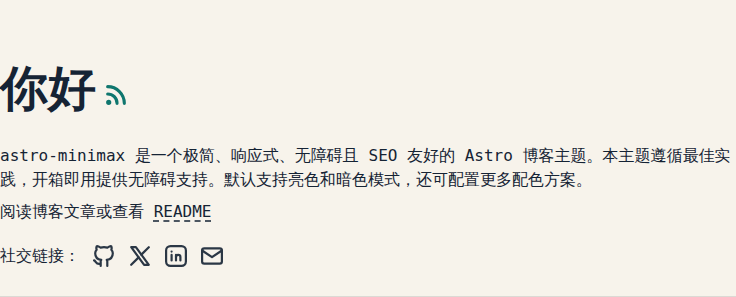
在 src/constants.ts 的 SOCIALS 对象中配置社交链接:
import IconGitHub from "@/assets/icons/IconGitHub.svg";
import IconBrandX from "@/assets/icons/IconBrandX.svg";
import IconMail from "@/assets/icons/IconMail.svg";

export const SOCIALS = [
  {
    name: "GitHub",
    href: "https://github.com/your-username",
    linkTitle: "My Blog on GitHub",
    icon: IconGitHub,
  },
  {
    name: "X",
    href: "https://x.com/your-username",
    linkTitle: "My Blog on X",
    icon: IconBrandX,
  },
  {
    name: "Mail",
    href: "mailto:your@email.com",
    linkTitle: "Send me an email",
    icon: IconMail,
  },
];可用的内置图标:IconGitHub、IconBrandX、IconLinkedin、IconFacebook、IconTelegram、IconMail、IconWhatsapp、IconPinterest、IconRss。
配置分享链接
在 src/constants.ts 的 SHARE_LINKS 对象中配置文章分享按钮:
export const SHARE_LINKS = [
  {
    name: "X",
    href: "https://x.com/intent/post?url=",
    linkTitle: "Share on X",
    icon: IconBrandX,
  },
  // ...
];配置 Waline 评论
astro-minimax 内置 Waline 评论系统。在 SITE.waline 中配置:
waline: {
  enabled: true,
  serverURL: "https://your-waline-server.vercel.app/",
  emoji: [
    "https://unpkg.com/@waline/emojis@1.2.0/weibo",
    "https://unpkg.com/@waline/emojis@1.2.0/bilibili",
  ],
  lang: "zh-CN",
  pageview: true,
  reaction: true,
  login: "enable",
  wordLimit: [0, 1000],
  imageUploader: false,
  requiredMeta: ["nick", "mail"],
  copyright: true,
  recaptchaV3Key: "",
  turnstileKey: "",
},| 选项 | 说明 |
|---|---|
enabled | 是否启用评论系统 |
serverURL | Waline 服务端地址(需自行部署) |
emoji | 表情包配置 |
lang | 评论组件语言 |
pageview | 是否显示页面浏览量 |
reaction | 是否启用表情互动 |
login | 登录模式:enable / disable / force |
wordLimit | 评论字数限制 [min, max] |
imageUploader | 是否允许上传图片 |
requiredMeta | 必填字段 |
copyright | 是否显示 Waline 版权信息 |
recaptchaV3Key | Google reCAPTCHA v3 密钥(可选) |
turnstileKey | Cloudflare Turnstile 密钥(可选) |
需要先部署 Waline 服务端。详见 Waline 官方文档。
配置搜索
astro-minimax 支持两种搜索方案。默认使用 Pagefind,无需额外配置。
Pagefind(默认)
内置的静态搜索引擎,构建时自动生成索引。无需任何配置即可使用。
Algolia DocSearch
如需使用 Algolia DocSearch 云搜索,在 SITE.search 中配置:
search: {
  provider: 'docsearch',
  docsearch: {
    appId: 'YOUR_ALGOLIA_APP_ID',
    apiKey: 'YOUR_ALGOLIA_SEARCH_API_KEY',
    indexName: 'YOUR_INDEX_NAME',
    placeholder: '搜索文档...',
  },
},| 选项 | 说明 |
|---|---|
provider | 搜索方案:'pagefind'(默认)或 'docsearch' |
docsearch.appId | Algolia Application ID |
docsearch.apiKey | Algolia Search-Only API Key |
docsearch.indexName | Algolia 索引名称 |
docsearch.placeholder | 搜索框占位文本 |
使用 DocSearch 需要 申请 或自建 Algolia 索引。DocSearch 组件会替换 Header 中的默认 Pagefind 搜索入口。
配置 AI 聊天
astro-minimax 内置 AI 聊天助手,基于 @astro-minimax/ai 包实现。在 SITE.ai 中配置:
ai: {
  enabled: true,
  mockMode: true,
  apiEndpoint: "/api/chat",
  model: "@cf/zai-org/glm-4.7-flash",
  welcomeMessage: undefined,
  placeholder: undefined,
},| 选项 | 说明 |
|---|---|
enabled | 是否启用 AI 聊天(设置为 true) |
mockMode | Mock 模式下返回预设回复,不调用真实 API,适合开发调试 |
apiEndpoint | API 端点地址。使用 Cloudflare Pages Functions 时为 /api/chat |
model | 使用的模型 ID。默认使用 Cloudflare Workers AI 的 GLM-4.7 Flash |
welcomeMessage | 自定义欢迎消息 |
placeholder | 自定义输入框占位文本 |
AI 聊天功能使用 Cloudflare Pages Functions 作为后端。需要在 Cloudflare 上部署并配置 AI Binding。详见
apps/blog/functions/目录和wrangler.toml。
配置赞助
在 SITE.sponsor 中配置打赏功能:
sponsor: {
  enabled: true,
  methods: [
    { name: "微信支付", icon: "wechat", image: "/images/wechat-pay.svg" },
    { name: "支付宝", icon: "alipay", image: "/images/alipay.svg" },
  ],
  sponsors: [
    { name: "张三", amount: 50, date: "2026-01-15" },
  ],
},| 选项 | 说明 |
|---|---|
enabled | 是否启用赞助功能 |
methods | 支付方式列表:name(名称)、icon(图标标识)、image(收款码图片路径) |
sponsors | 赞助者列表:name、amount(金额)、date(日期)、platform(平台,可选) |
将收款码图片放到 public/images/ 目录下。
配置版权声明
在 SITE.copyright 中配置版权协议:
copyright: {
  license: "CC BY-NC-SA 4.0",
  licenseUrl: "https://creativecommons.org/licenses/by-nc-sa/4.0/",
},配置 Umami 统计
在 SITE.umami 中配置 Umami 隐私友好的访问统计:
umami: {
  enabled: false,
  websiteId: "your-website-id",
  src: "https://your-umami-instance.com/script.js",
},| 选项 | 说明 |
|---|---|
enabled | 是否启用 Umami 统计 |
websiteId | Umami 中的网站 ID |
src | Umami 脚本地址 |
需要先部署 Umami 服务。详见 Umami 官方文档。
配置字体
astro-minimax 使用 Astro 的实验性字体 API,默认使用 Google Sans Code 字体。
自定义字体
要使用不同的字体,需要更新三个地方:
astro.config.ts中的字体配置:
import { defineConfig, fontProviders } from "astro/config";

export default defineConfig({
  experimental: {
    fonts: [
      {
        name: "Your Font Name",
        cssVariable: "--font-your-font",
        provider: fontProviders.google(),
        fallbacks: ["monospace"],
        weights: [300, 400, 500, 600, 700],
        styles: ["normal", "italic"],
      },
    ],
  },
});Layout.astro中的 Font 组件:
---
import { Font } from "astro:assets";
---

<head>
  <Font
    cssVariable="--font-your-font"
    preload={[{ subset: "latin", weight: 400, style: "normal" }]}
  />
</head>global.css中的 CSS 变量:
@theme inline {
  --font-app: var(--font-your-font);
}--font-app 通过 font-app Tailwind 工具类在全站使用。
结语
这是关于如何自定义此主题的完整说明。更多功能介绍请参考功能特性总览。
评论区
文明评论,共建和谐社区